Spreadsheet for Excel, also opens in Google Sheets
Product Idea Scorer
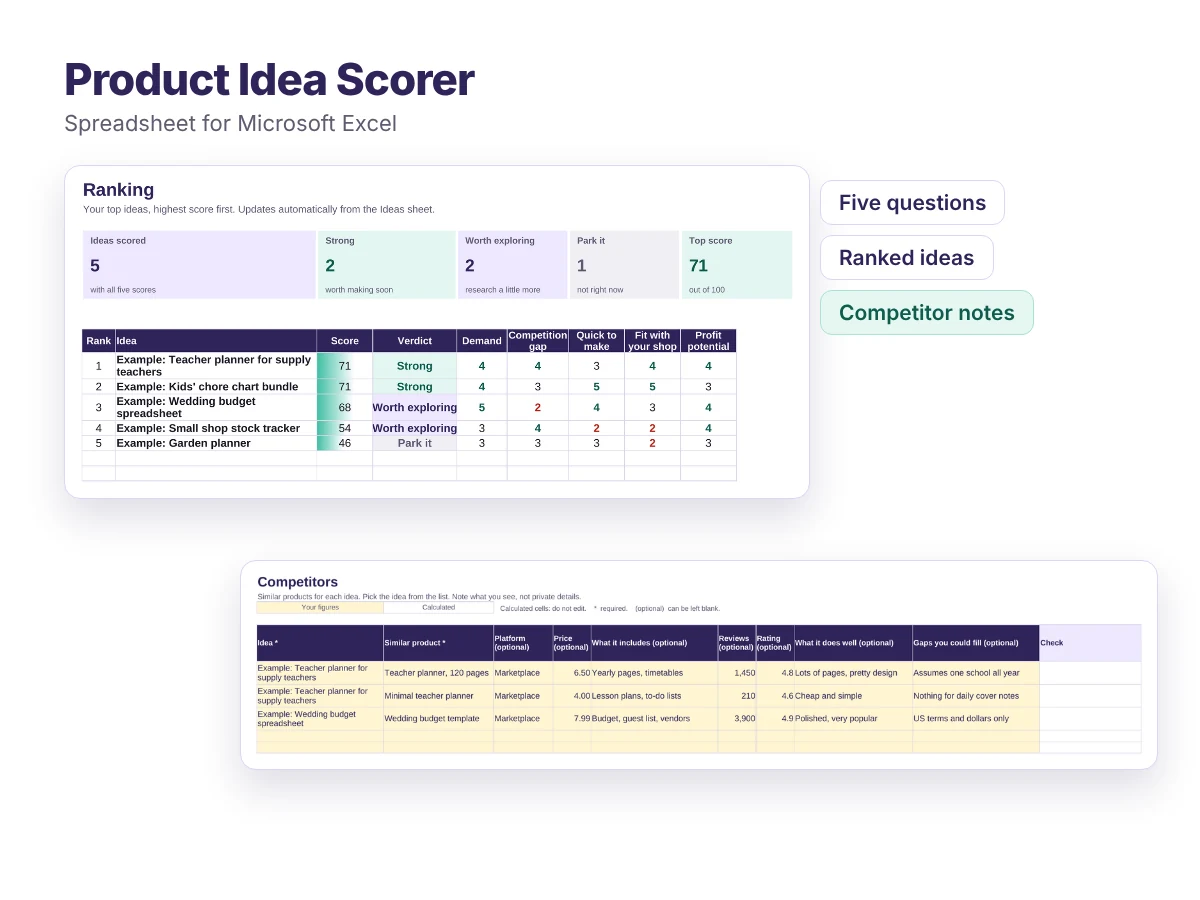
Score your product ideas on demand, competition, effort, fit and profit, so you make the most promising one first.
- Score every idea on the same five questions
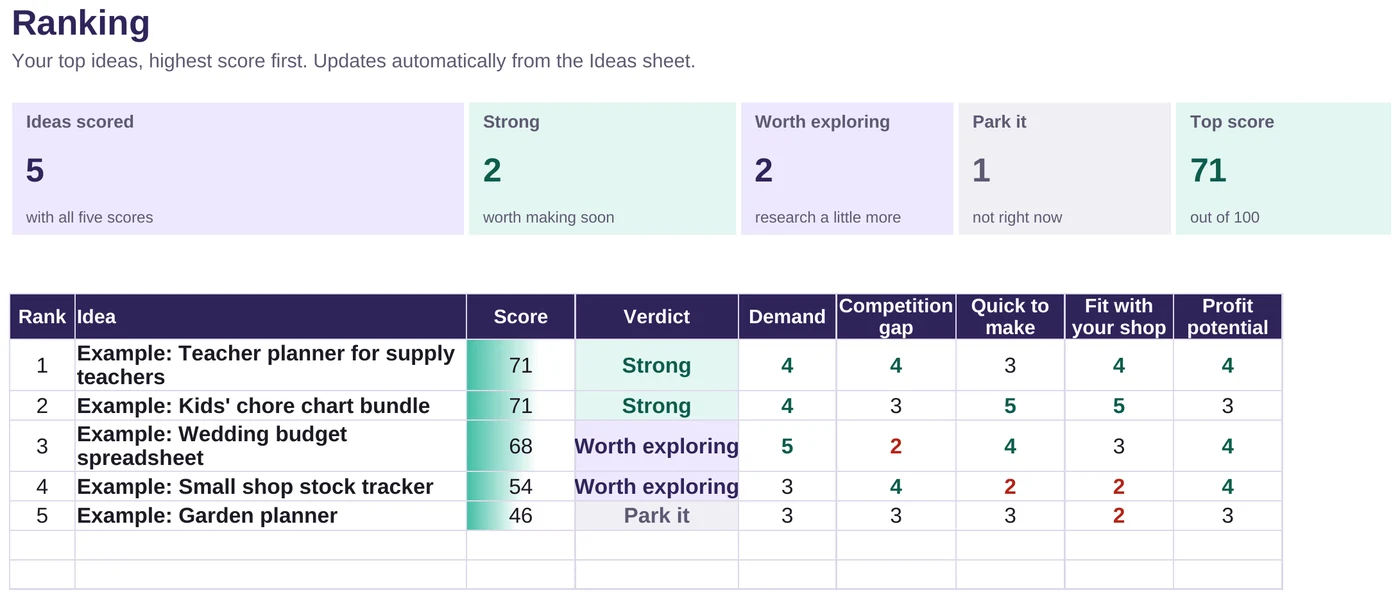
- Automatic ranking with a verdict for each idea
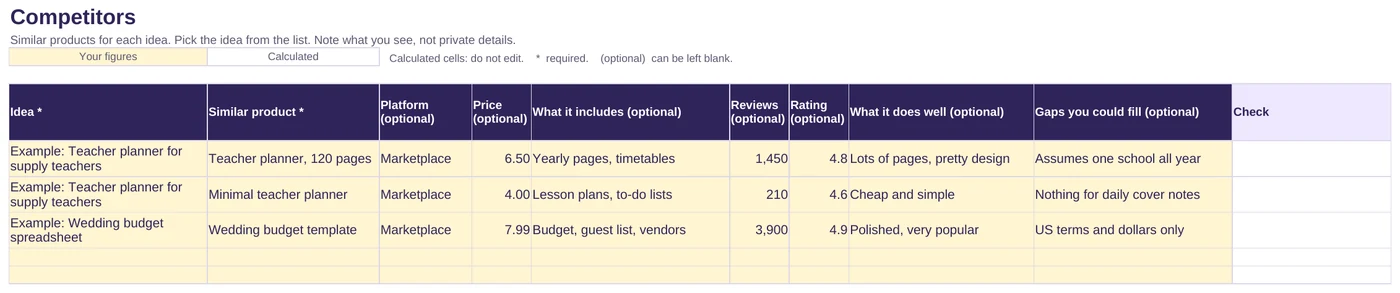
- A competitor sheet for prices, contents and gaps you could fill
- Change how much each question counts
Free
Download the scorerFree, with no sign-up. If it saves you time, you can support the site:
Buy me a coffeeWhat is included
- The spreadsheet (.xlsx) with five sheets: Start here, Ranking, Ideas, Competitors and Settings
- Room for 100 ideas and 300 competitor notes
- A scoring guide explaining what 1, 3 and 5 mean for each question
- Example ideas and competitors to show how it works
Who it is for
- Sellers with more ideas than time
- Anyone deciding what to make next for their shop
- New sellers choosing a first product
How it works
List your ideas
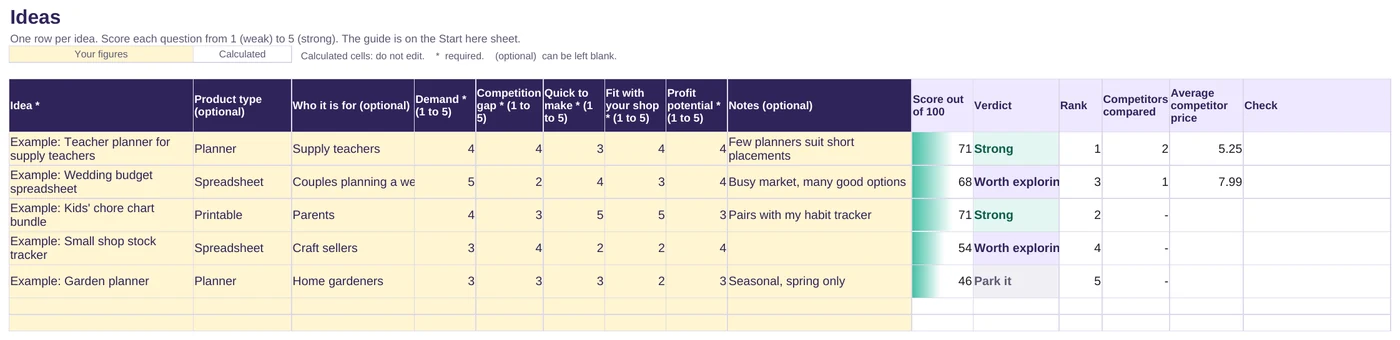
Add each idea on the Ideas sheet.
Score and research
Score each question from 1 to 5, and note a few competitors for the strongest ideas.
Check the ranking
Your ideas appear in order, with a verdict for each.
Files and requirements
- File: Microsoft Excel workbook (.xlsx)
- Made for Microsoft Excel. Also opens in Google Sheets: upload it to Google Drive and open it with Google Sheets
Related article
Licence
Free for use in your own business. Please do not resell or redistribute the spreadsheet. If you want to share it, link to this page instead.
Any figures the files help you work out are estimates, not financial, tax or legal advice.
Frequently asked questions
Is it really free?
Yes. There is no sign-up and no email address needed. Just download the file. If it helps you, you can buy me a coffee, but that is entirely optional and does not unlock anything.
How do I know what score to give?
The Start here sheet explains what a 1, 3 and 5 look like for each question. Spend a few minutes looking at search suggestions and similar products first, so your scores are based on evidence.
Can I change what matters most?
Yes. On the Settings sheet you can give each question more or less weight, and change the scores where the verdicts start.
Found this useful?
Everything here is free. If it saved you some time, you can support the site with a coffee. It is entirely optional.
Also free
-
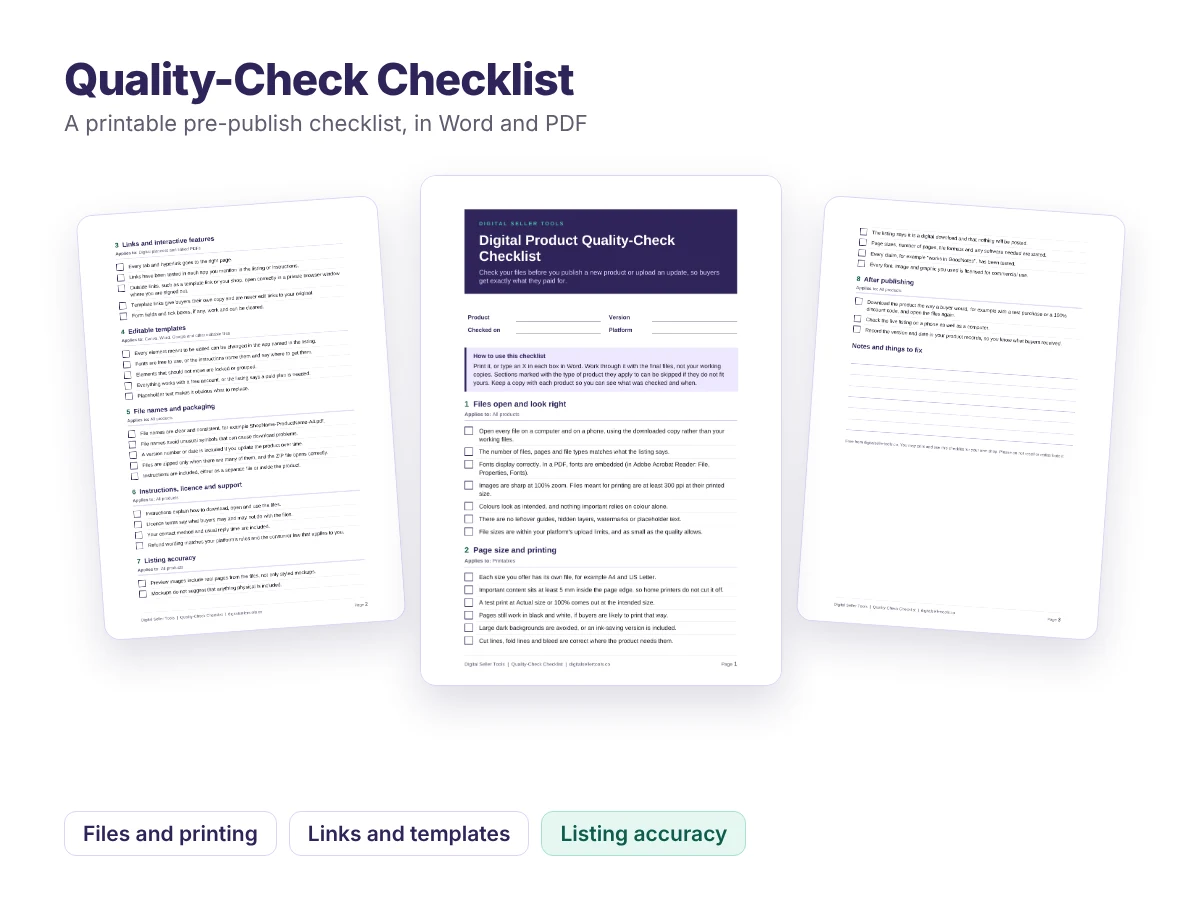
Printable checklist, PDF and Word
Quality-Check Checklist
A pre-publish checklist that catches broken links, cut-off pages, missing fonts and misleading previews before your buyers do.
Free -
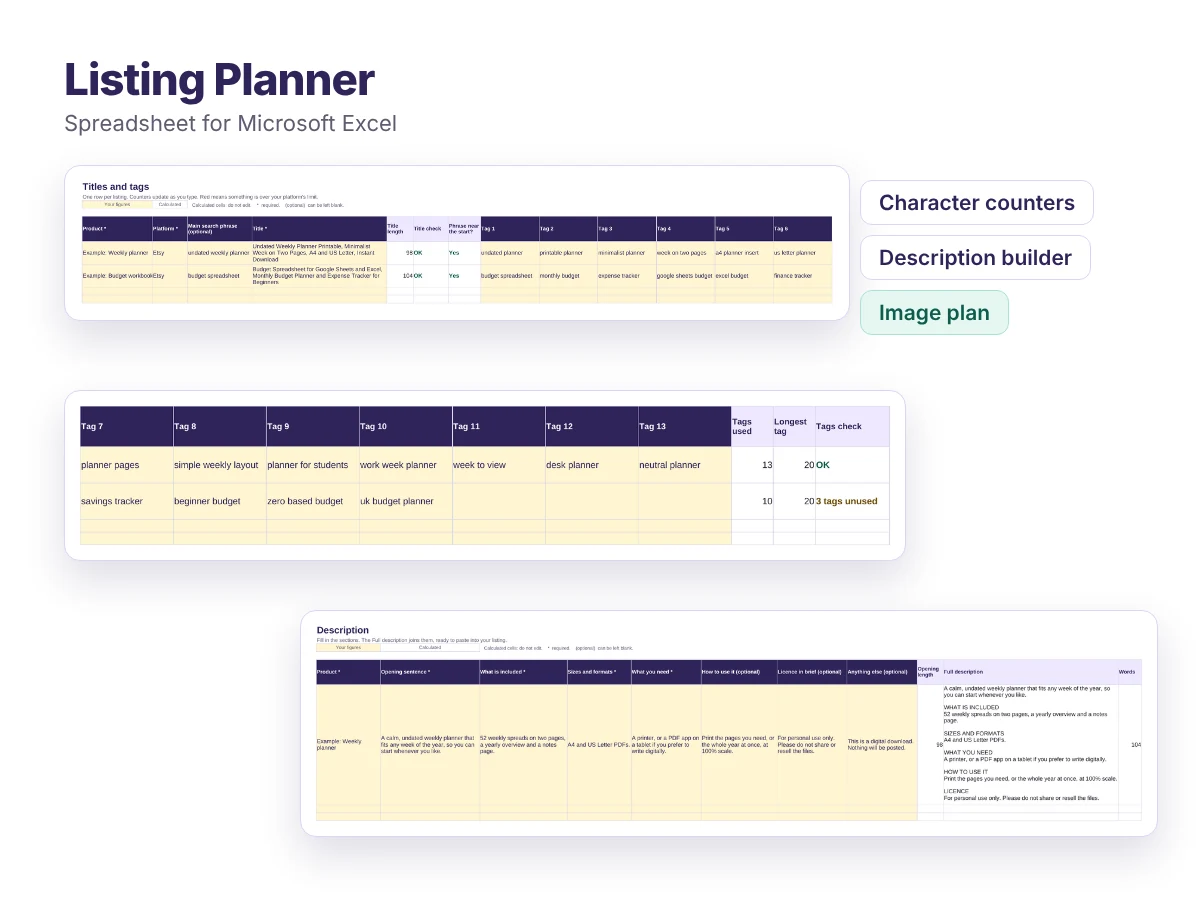
Spreadsheet for Excel, also opens in Google Sheets
Listing Planner
Plan titles, tags, descriptions and preview images, with live character counts that warn you when something is too long.
Free -
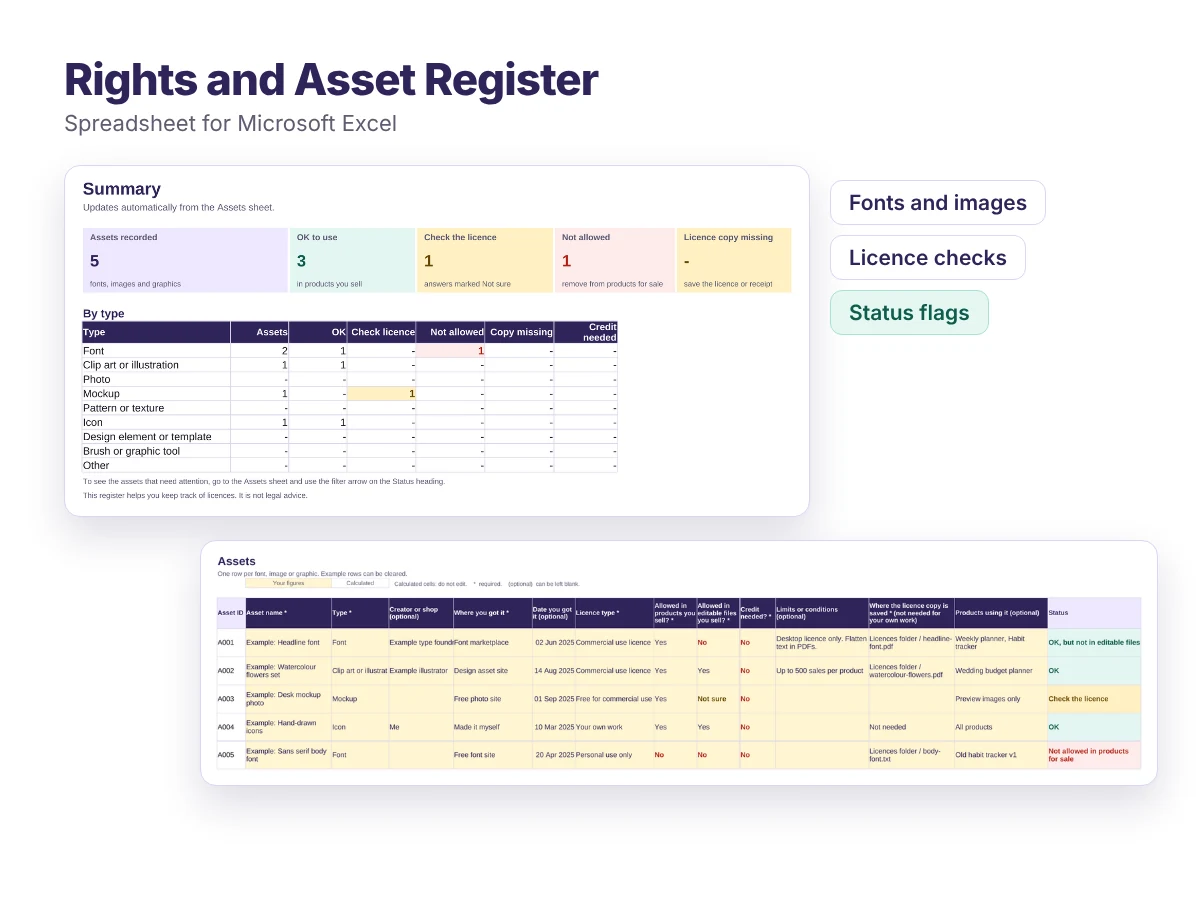
Spreadsheet for Excel, also opens in Google Sheets
Rights and Asset Register
Record every font, image and graphic you use, what its licence allows, and which products use it. Problems are flagged for you.
Free