Spreadsheet for Excel, also opens in Google Sheets
Listing Experiment Log
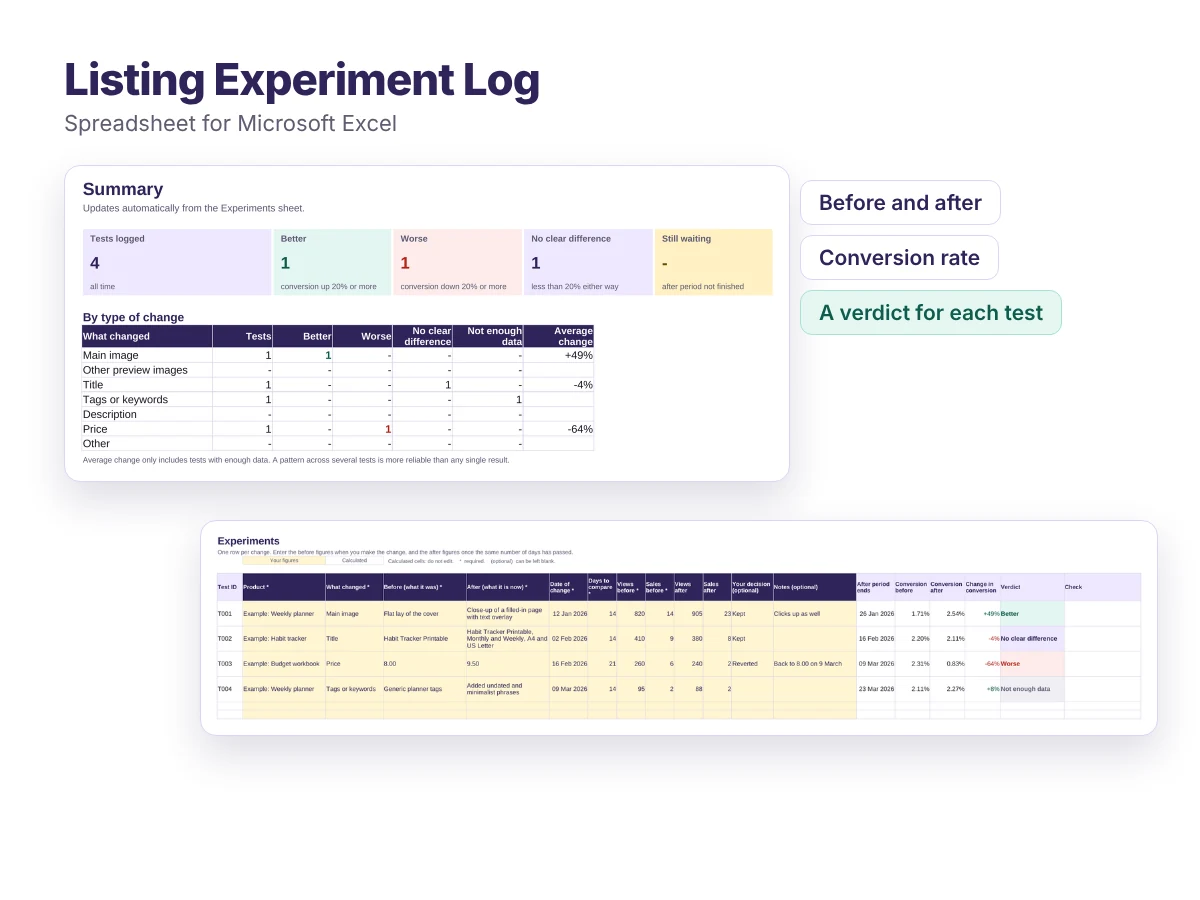
Test one listing change at a time, such as a new main image, title or price, and see whether it really helped.
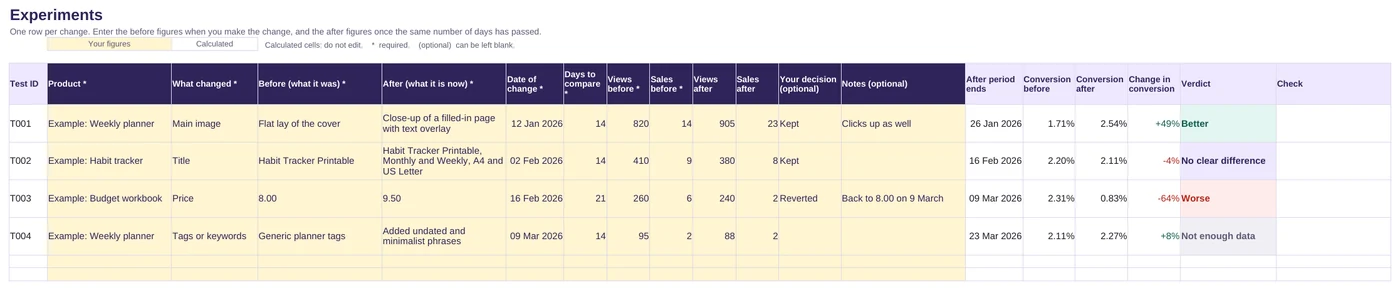
- Compare the same number of days before and after each change
- Works out the conversion rate for both periods
- Gives a verdict: better, worse, no clear difference or not enough data
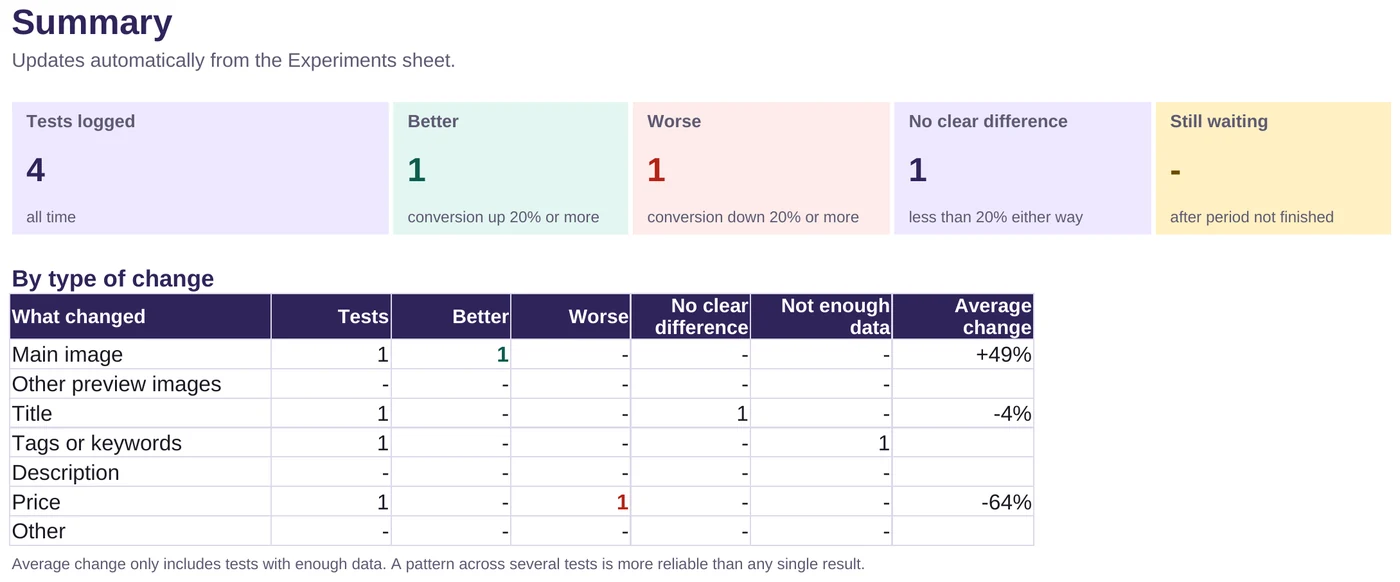
- A summary shows which kinds of change work for your shop
Free
Download the logFree, with no sign-up. If it saves you time, you can support the site:
Buy me a coffeeWhat is included
- The spreadsheet (.xlsx) with three sheets: Start here, Summary and Experiments
- Room for 300 tests
- Guidance on running a fair test, built into the Start here sheet
- Example tests showing a clear win, a loss, no difference and a test with too little data
Who it is for
- Sellers who keep changing listings without knowing what works
- Anyone trying a new main image, title, tags or price
- Sellers with enough views to compare, even if sales are still modest
How it works
Make one change
Change a single thing on a listing and note the date.
Log the before figures
Enter views and sales for the days before the change.
Log the after figures
After the same number of days, add views and sales and read the verdict.
Files and requirements
- File: Microsoft Excel workbook (.xlsx)
- Made for Microsoft Excel. Also opens in Google Sheets: upload it to Google Drive and open it with Google Sheets
Related article
Licence
Free for use in your own business. Please do not resell or redistribute the spreadsheet. If you want to share it, link to this page instead.
Any figures the files help you work out are estimates, not financial, tax or legal advice.
Frequently asked questions
Is it really free?
Yes. There is no sign-up and no email address needed. Just download the file. If it helps you, you can buy me a coffee, but that is entirely optional and does not unlock anything.
Where do I find views and sales?
Most platforms show views and sales for a chosen date range in their shop statistics. Use the same number of days before and after the change.
Why does it say not enough data?
With only a few views or sales, results swing by chance. The log waits for at least 200 views and 5 sales across both periods before giving a verdict.
Found this useful?
Everything here is free. If it saved you some time, you can support the site with a coffee. It is entirely optional.
Also free
-
Spreadsheet for Excel, also opens in Google Sheets
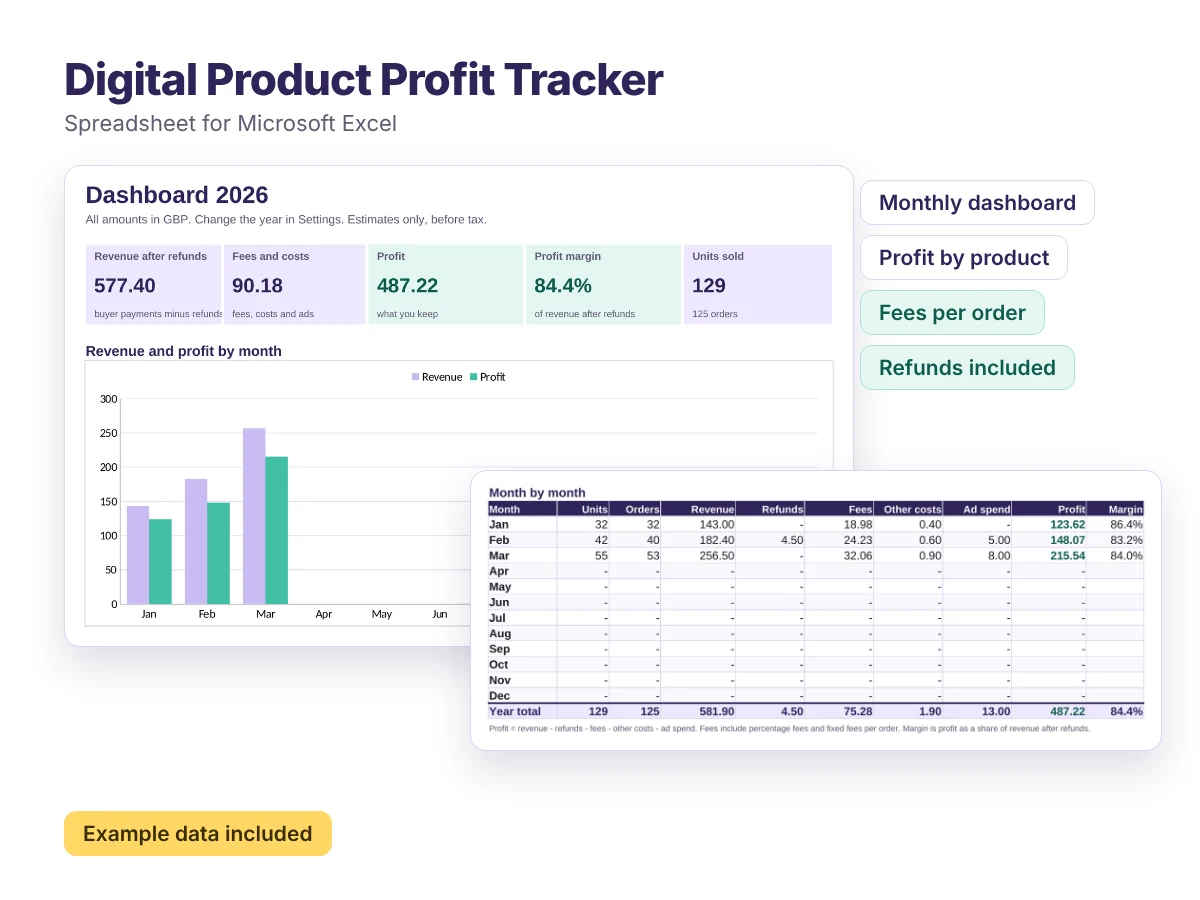
Digital Product Profit Tracker
A ready-made spreadsheet that shows what you actually earn from every digital product, month by month.
Free -
Spreadsheet for Excel, also opens in Google Sheets
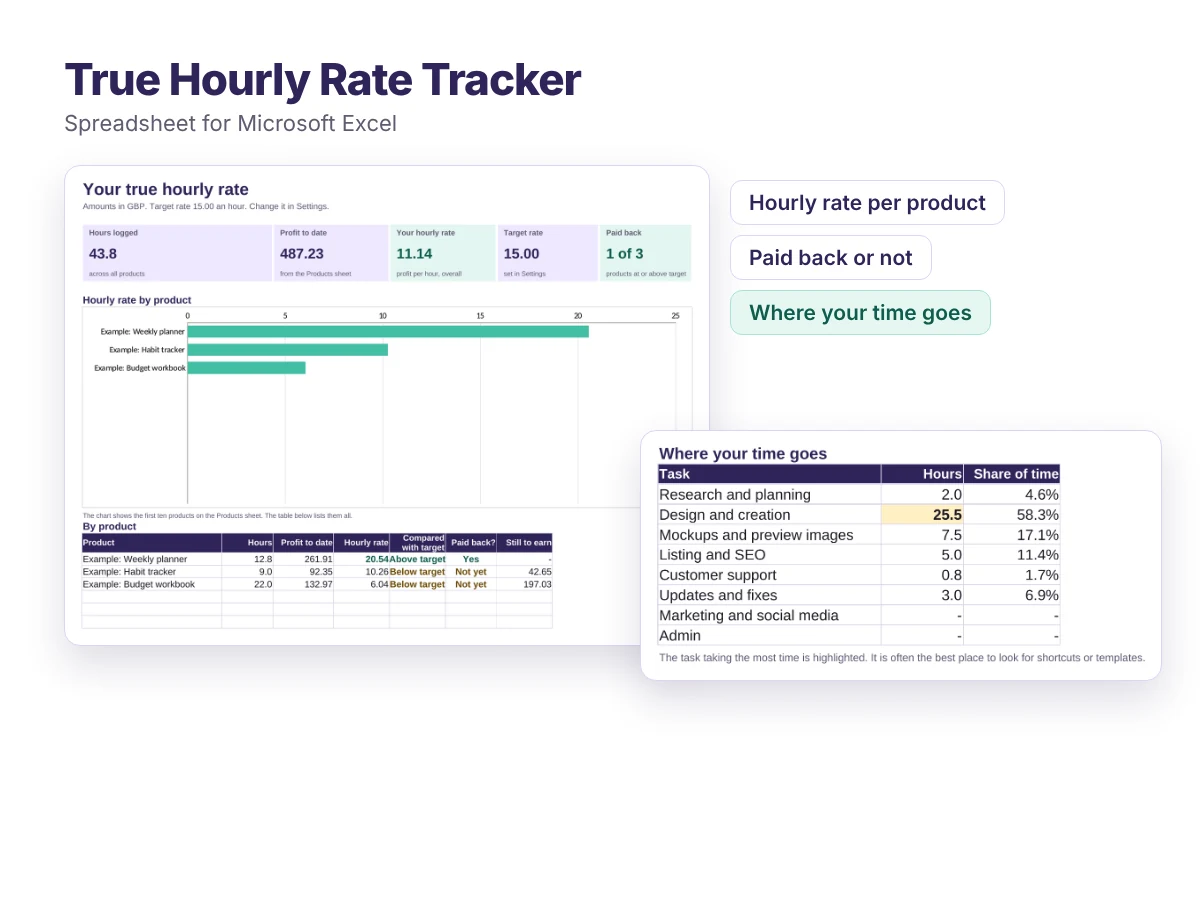
True Hourly Rate Tracker
Find out what you really earn for every hour you put into each digital product, and which products are worth making more of.
Free -
Editable templates for Word, PowerPoint and Canva
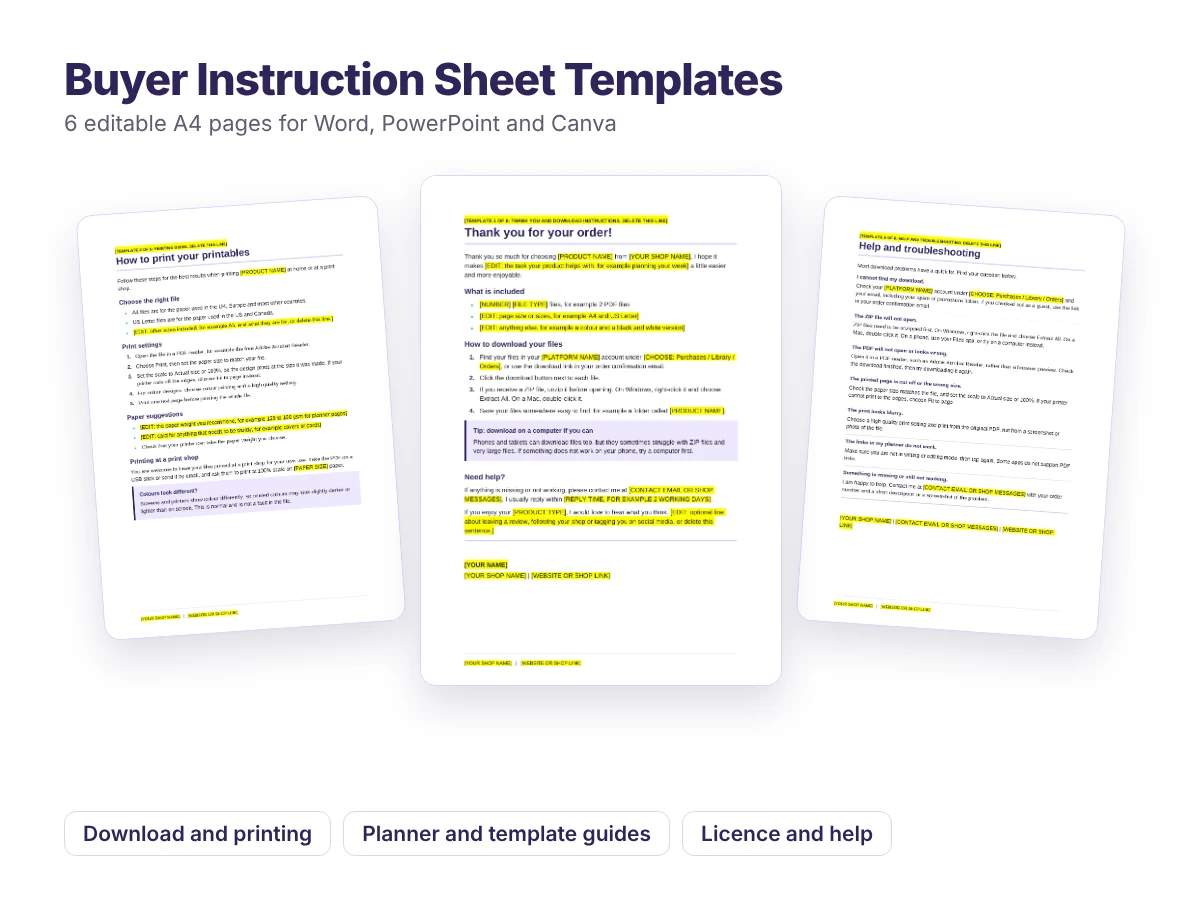
Buyer Instruction Sheet Templates
Six ready-to-edit pages to include with your digital downloads, so customers know exactly how to download, print and use what they bought.
Free